

How to activate and use your affiliate link ? Print
- 0
If you haven't created your affiliate link, Please follow these instructions on how to do that and use it.
- Login to user account using this client login URL Login - LagoonSpace Web Solutions
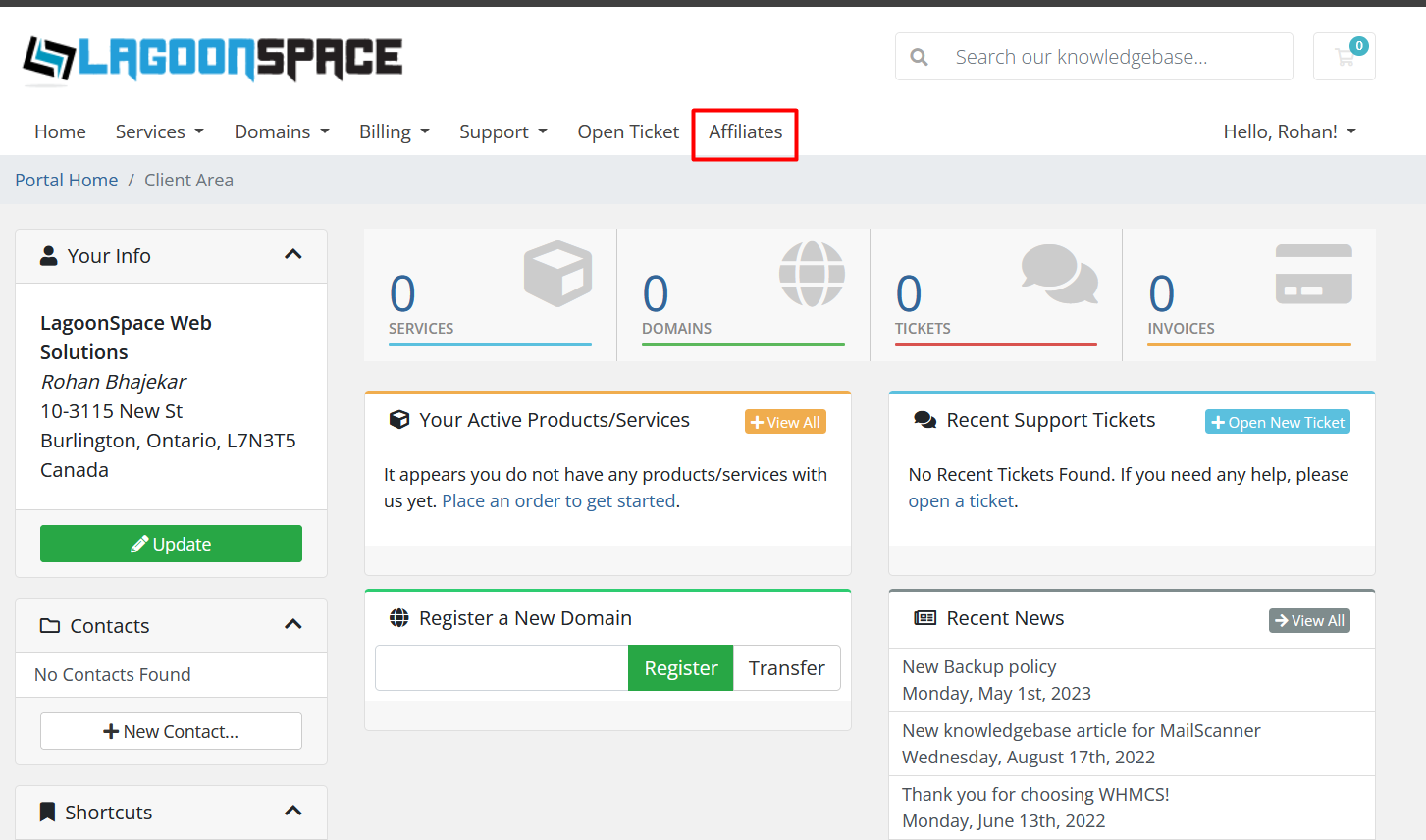
- In the top menu, please click on Affiliate menu option.
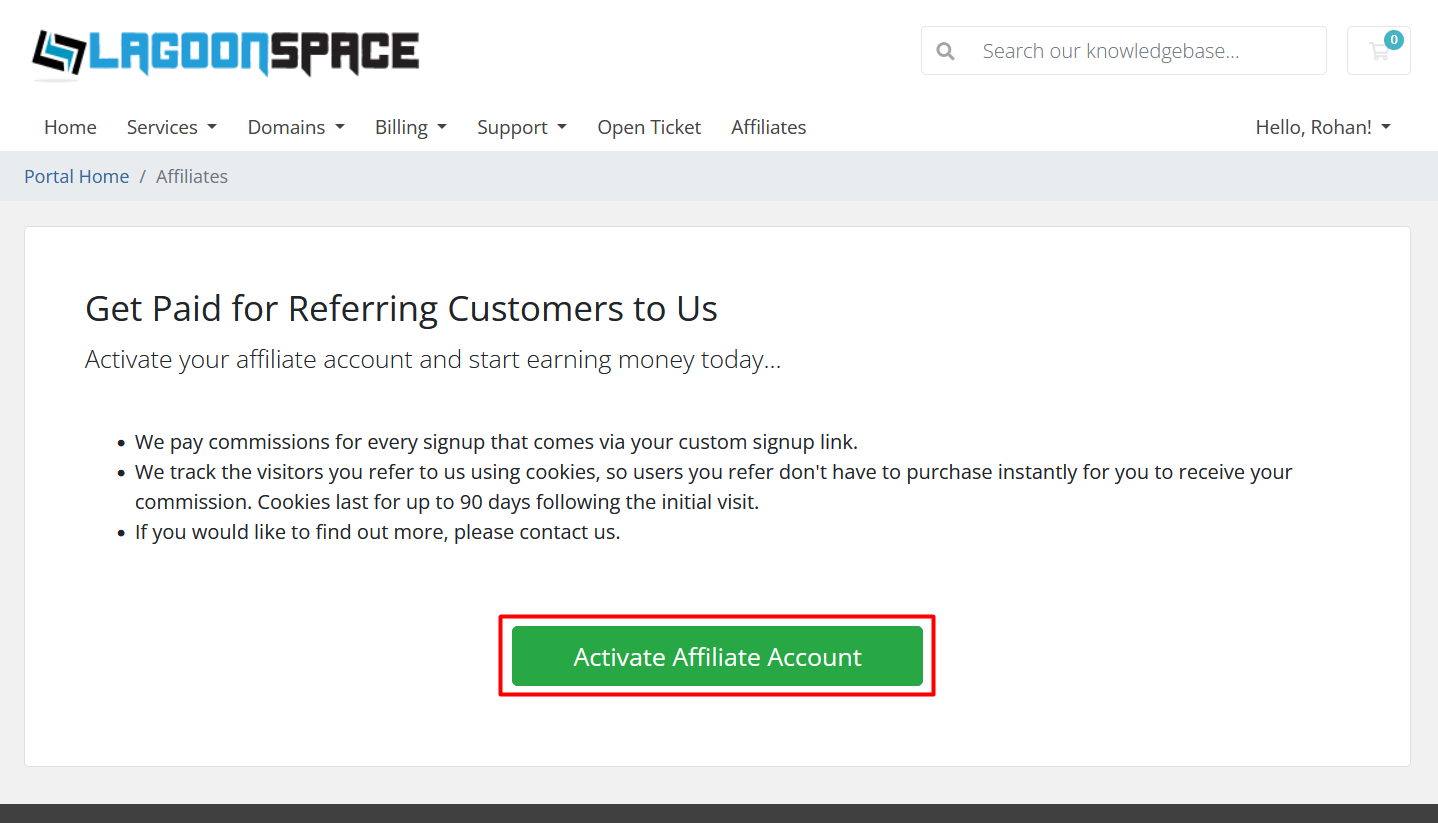
- On next page, you will see a button which says Activate affiliate account. Click on it to generate your affiliate link.
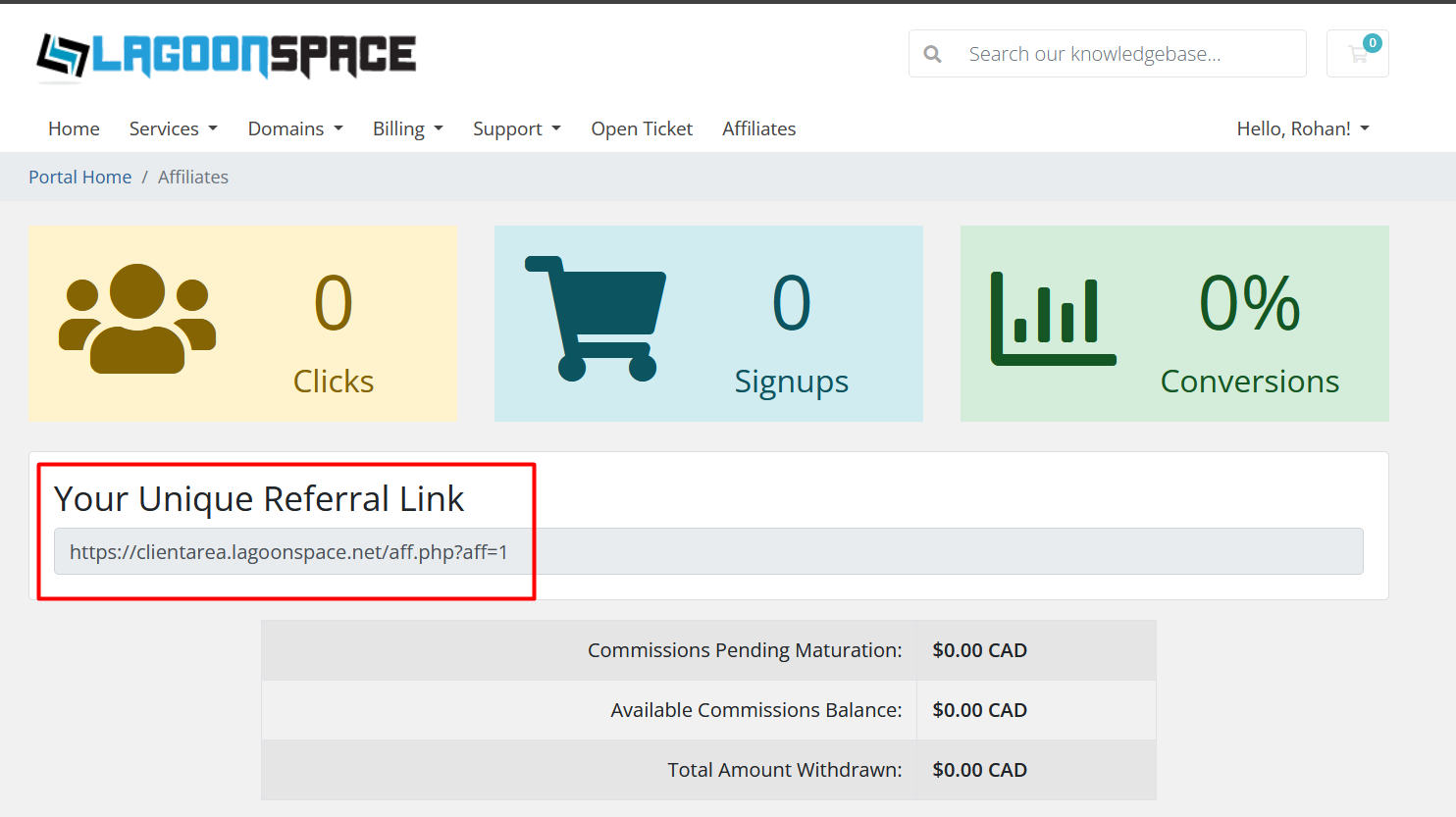
- Once you have created an account you will now see your Affiliate dashboard.
- On this dashboard you will see your affiliate link which you should use to refer new customers to LagoonSpace Web Solutions.
- You can find this link here
- To generate your affiliate income please make sure that referred customers purchase products which will be highlighted in Signups section.
Was this answer helpful?
Related Articles
How to create a user-friendly URL using .htaccess?
If your website is using long URL like example.com/files/folder/sitemap.html, you can change it...
How to redirect a page to another page or website using .htaccess?
If a page on your website no longer exist and you want to redirect it to your new page or website...
php error: Allowed memory size of x bytes exhausted
If you are getting an error like "Allowed memory size of... in file...
How to create a new order for a service ?
This tutorial gives an overview on how to create orders for new products or services on...